Google Ads requires all advertisers be verified to prove that they represent the business they are advertising. While Google Ads allows a temporary grace period when businesses can run ads without being verified, there will come to a point where being non-verified will cause ads to pause until the verification process is complete.
Here are the steps for completing this process.
1. Log into Google Ads on a desktop computer or laptop.
2. Click on ‘Admin’ in the left sidebar
3. Click on ''Policy' > 'Account’ in the secondary side menu that appears.
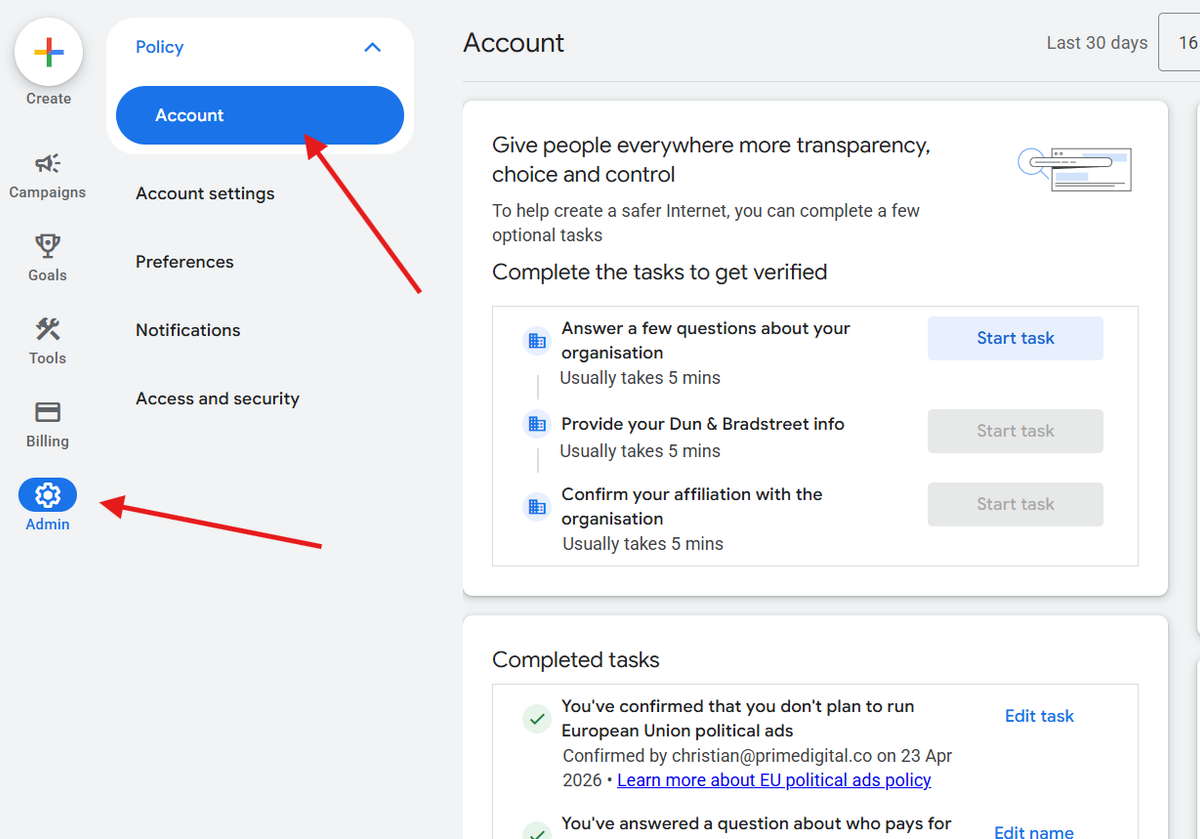
4. Complete all tasks listed on this page. One of the steps requires that you upload a document to prove that you own and operate the business.
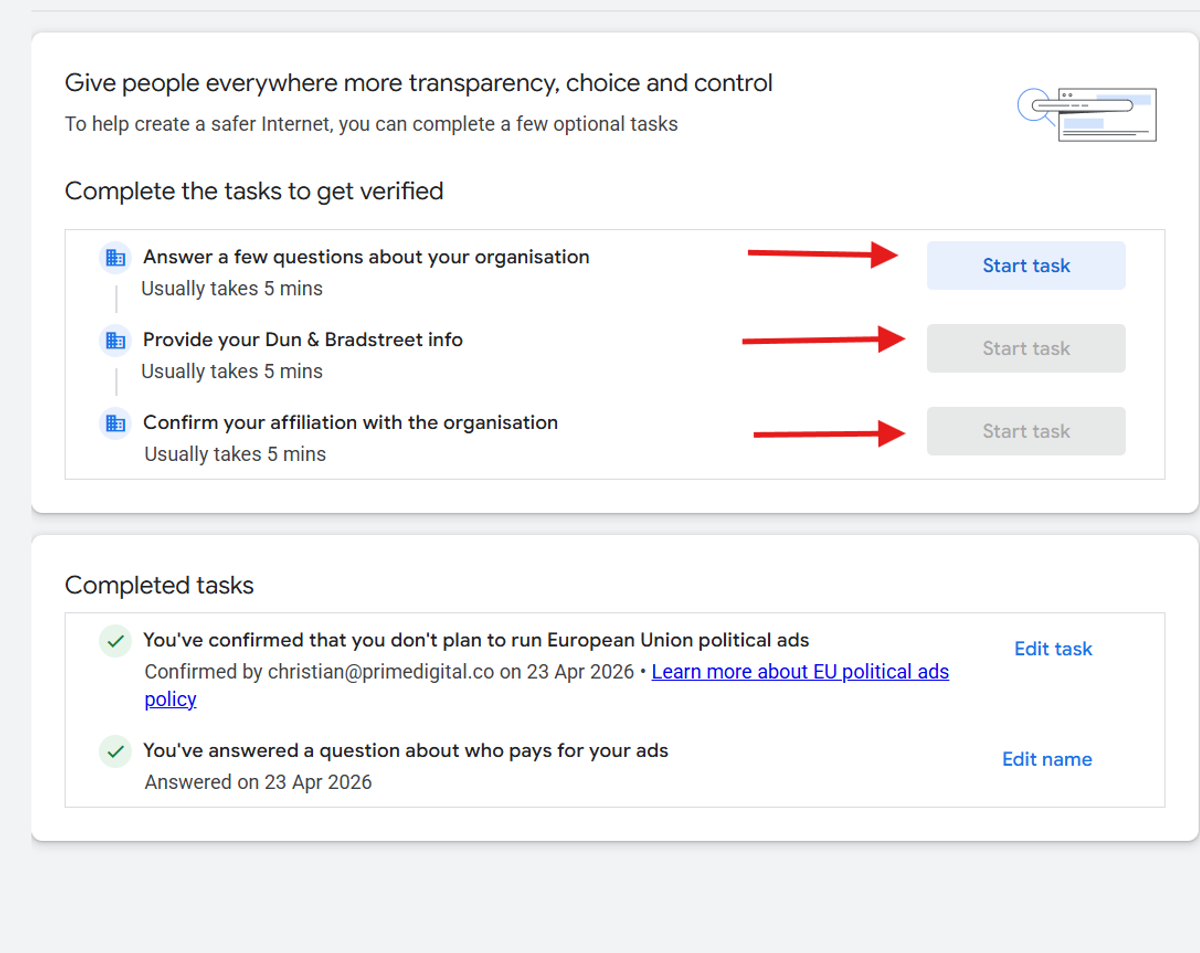
Once the requested information is submitted, it can take several days for the process to complete, so it is recommended to start this process as early as possible to avoid ads from being paused.