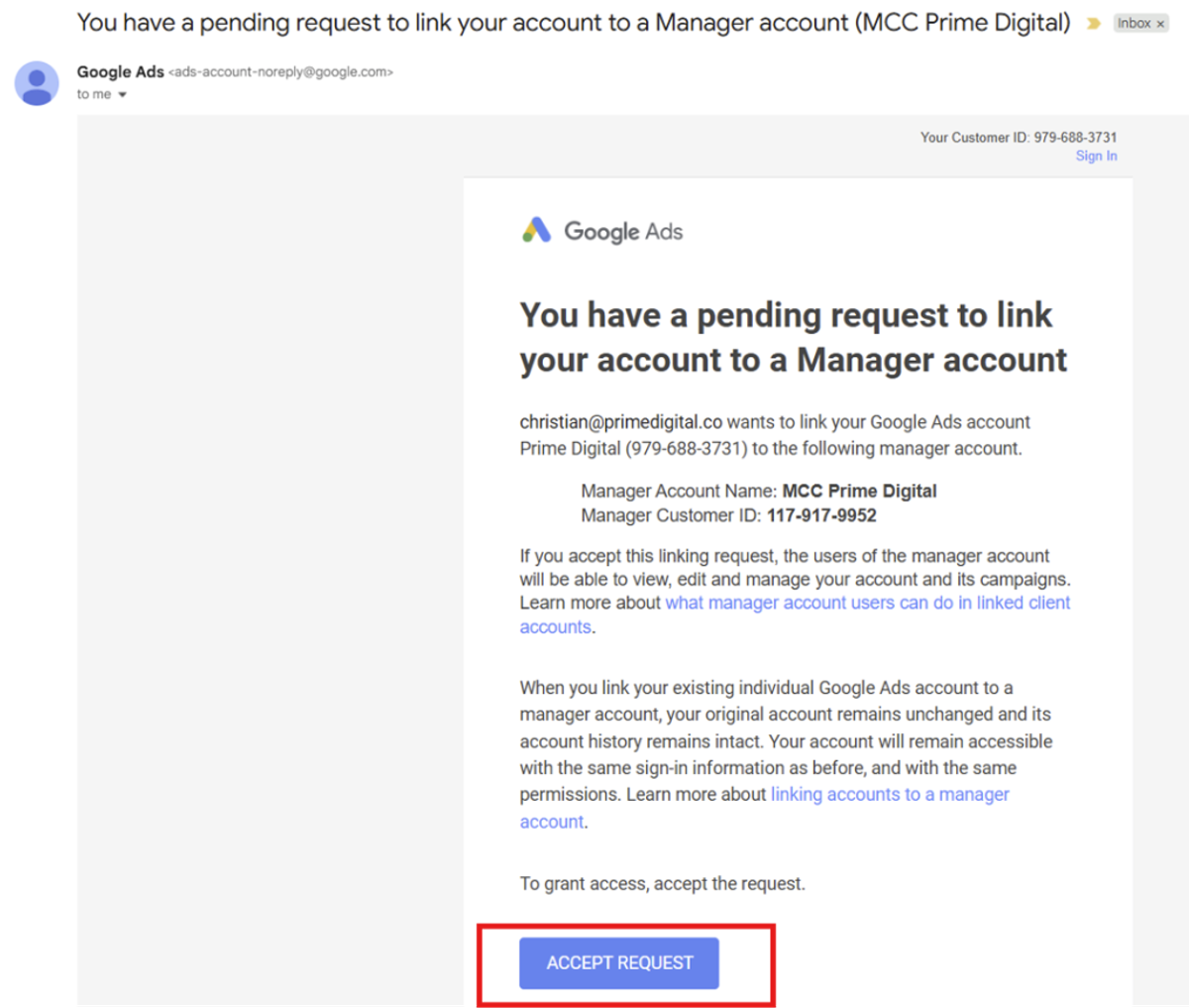
The simplest way for us to manage your Google Ads account us for us to connect it to our Manager account.
Here’s how to do it.
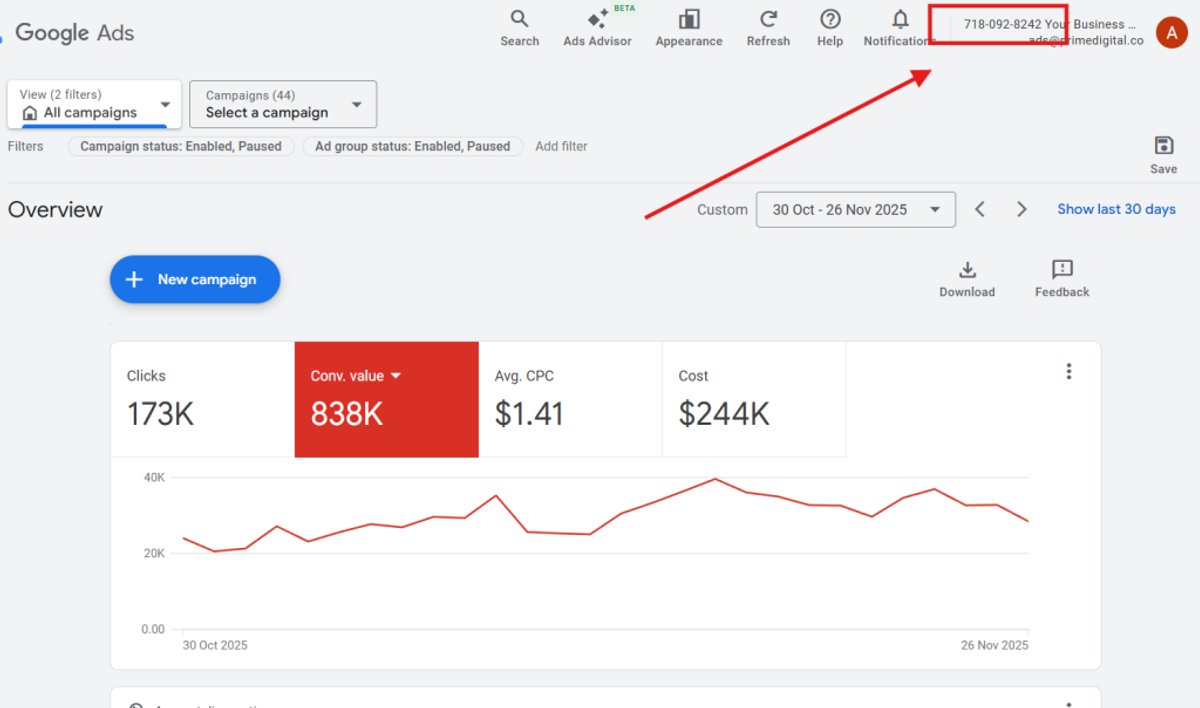
1. Provide us with your 10-digit Google Ads Account ID, which can be seen at the top-right of the Google Ads screen. It will look something like 123-456-7891.
2. We will send a request from our side to link our manager account to your account.
3. You will receive an email allowing you to approve the linking request. Click on ‘ACCEPT REQUEST’
4. IMPORTANT: After clicking ‘ACCEPT REQUEST’ in the email, you need to click ‘Accept’ in the Google Ads platform.