If your payment method has changed or you need to update your billing details, follow these simple steps:
Step 1: Log In
Go to ads.google.com and sign in using the Google account linked to your Ads account.
Step 2: Open Billing Settings
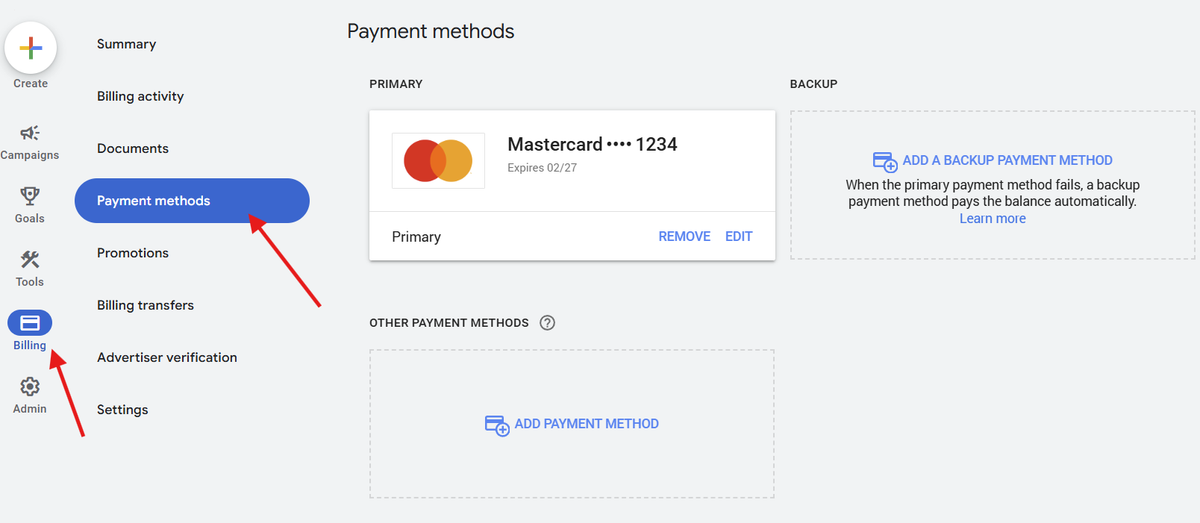
In the left sidebar, click the Billing icon (), and select Settings.
Step 3: Edit Payment Method
Under the Payment methods section, click Manage payment methods.
Step 4: Add or Update Details
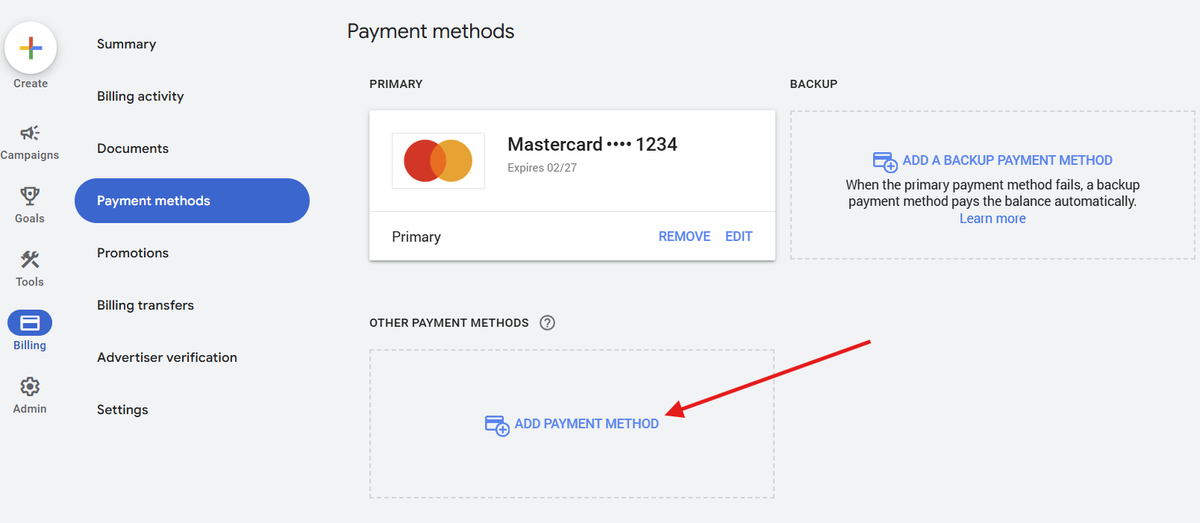
- To add a new payment method, click Add payment method, enter your details, and save.
- To update an existing method, click Edit next to it, make your changes, and save.
Step 5: Set as Primary (if needed)
If you’ve added a new method, click Set as primary to make it your default payment option.
Step 6: Set a Backup Payment Method (optional)
Optionally add a secondary payment method to fall back on if your primary method becomes inactive.
Step 6: Save and Confirm
Review your details, then click Save. Google will confirm the update and may verify your card or account.